How to migrate from v4 to v5 of our print API

Tags
Interested in joining the world's leading print on demand platform?
If you’re already using v4 of our print API, moving to Prodigi API v5 is relatively straightforward.
The vast majority of what you can do in v4 is unchanged. We’ve deliberately maintained familiar behaviour where possible, so you can move your existing integration across without rebuilding it from scratch.
There are some differences you’ll need to account for, however – particularly around how orders are created and submitted, and how test and live API usage is handled.
This guide covers what stays the same, what’s changed and what you’ll need to check before moving your integration to v5.
What features have carried over from v4?
Moving to v5 doesn’t mean rebuilding your existing integration. We’ve maintained compatibility with several parts of v4, so much of your existing setup can carry straight across.
Your existing Prodigi SKUs still work
If your integration uses Prodigi SKUs as item identifiers, you can continue using them in v5.
There’s no need to remap your existing catalogue just to move your order integration across.
copies is still accepted
v5 uses quantity, but if your existing integration sends copies, you don’t need to change it immediately.
copies is still accepted as a deprecated alias for quantity, giving you the option to update your implementation when it suits you.
You can keep your create-and-submit workflow
One of the biggest differences in v5 is that orders can be draft-first. You can create an order, make changes to it and then submit it for fulfilment when it’s ready.
If your v4 integration is already built around creating and immediately submitting an order, you can retain that behaviour.
Add submit: true when creating the order and v5 will create and submit it in a single request.
This means you don’t need to adopt a draft-first workflow simply to migrate to v5 – although the option is there if you want the additional flexibility.
Existing order callbacks work without changes
Per-order callbacks in v5 use the same format as v4, and both existing methods of setting a callback URL continue to work without any changes.
If your integration already uses Prodigi callbacks to receive order updates, you can carry your existing callback setup across to v5 without making any adjustments.
What’s new with v5?
We’ve kept much of the familiar functionality from v4 while introducing new capabilities and improvements to how orders are created, managed and returned through the API.
Here’s what’s new and what it means for your integration.
Orders can be draft-first
In v4, creating an order is largely a one-shot process. You send the order to Prodigi, then have a limited set of options for changing it before it reaches production.
In v5, you can create an order as a draft, then add or remove items, change quantities and sizes and update delivery details before submitting it for fulfilment.
As covered above, you can use submit: true if you want to retain your existing create-and-submit workflow.
You can interact with paused orders
If you use order pausing, v5 removes an important limitation of v4.
Previously, you couldn’t see or interact with an order through the API while it was within your pause window.
With v5, you can access paused orders directly through the API. This means your integration can identify an order that’s being held, correct the delivery address if needed, then resume it – or cancel it – when you’re ready. Items and artwork can’t be changed once an order has been submitted, including while it’s paused.
If your current integration has processes outside the API for dealing with paused orders, this is a good opportunity to bring them into your automated workflow.
Separate test and live API usage
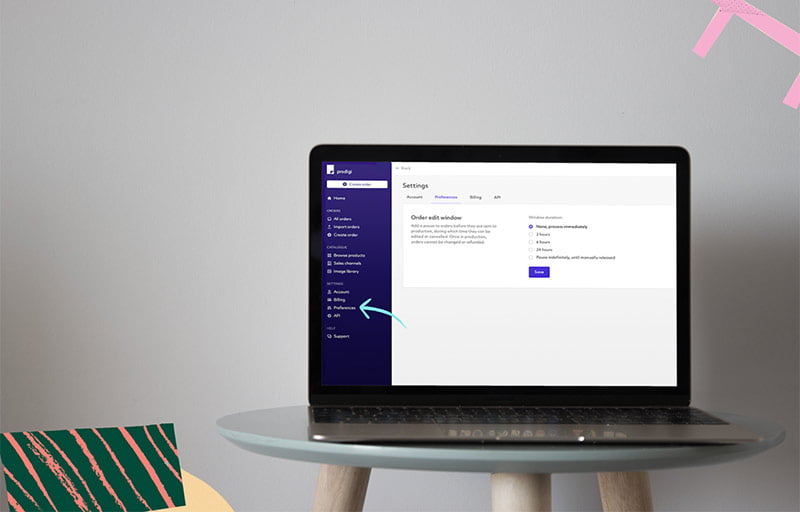
v5 uses separate API keys for testing and live orders, with different prefixes to identify each one.
For testing, prefix your sandbox API key with sandbox_. For live orders, prefix your live API key with live_.
Both use the same API base URL (https://api.prodigi.com/v5), so you don’t need to change endpoints when switching between testing and live orders.
You can find your live API key in the Prodigi dashboard and access your sandbox key through the sandbox dashboard.
Requests made without the appropriate key prefix will be rejected.
Error responses are more consistent
v5 introduces clearer, more consistent error responses, including validation errors that identify which fields are causing problems.
If your existing integration handles v4 error responses, check that it can also handle the v5 response format before switching to live orders.
v4 returns an outcome describing what happened, with any validation problems in a failures object keyed by field path:
{
  "outcome": "ValidationFailed",
  "failures": {
    "recipient.address.countryCode": [
      { "code": "MustBeATwoDigitISOCountryCode", "providedValue": "USA" }
    ]
  },
  "traceParent": "00-65e25206c6b1e34dbdcea1a7051f85bd-f6885faf442b6041-00"
}
v5 uses a single shape for every error, whatever the endpoint:
{
  "type": "invalid_request_error",
  "message": "status must be one of: draft, pending_submission, submitted, in_production, on_hold, paused, partially_shipped, shipped, completed, cancelled, failed.",
  "issues": [
    {
      "field": "status",
      "code": "invalid_enum_value",
      "message": "'foo' is not a valid order status."
    }
  ]
}
Order creation supports idempotency
v5 supports an Idempotency-Key header when creating an order.
If a request fails or your integration doesn’t receive a response and needs to retry it, using the same idempotency key protects against accidentally creating the order more than once.
If your current integration has its own approach to preventing duplicate orders on retries, review how you want that logic to work alongside v5 idempotency.
Before you migrate
Before changing your production integration, review the v5 documentation and identify the parts of your current v4 implementation that need updating.
In particular, check:
- How your integration creates and submits orders
- Whether you currently use copies or quantity
- How you identify products and SKUs
- How you receive and process order callbacks
- How you handle API errors
- Whether you use order pausing
- How your integration handles retries and duplicate-order prevention
- Whether you’re using the correct test or live API key
Because v5 preserves much of the behaviour available in v4, you may find that only a relatively small part of your existing integration needs to change.
Test your integration before going live
Once you’ve updated your integration for v5, use your sandbox_ API key to check everything is working as expected before sending live orders.
As well as your standard order flow, it’s worth testing scenarios where your integration needs to respond to something changing.
For example, create an order and check that you can amend it before submission. If you use order pausing, make sure your integration can find and resume a paused order. Test cancellations, callbacks and error handling and check that retries behave as expected when using an Idempotency-Key.
If you plan to use v5’s draft-first workflow, test the complete journey from creating a draft through to submitting it for fulfilment.
Additional checks before migrating
There are a few other differences between v4 and v5 that are worth checking before moving your integration across:
- Order IDs: v5 uses numeric order IDs (e.g.
69117184988155392) without theord_prefix. However, callbacks still include the prefixed version, so check how your integration stores and matches order IDs. - Order statuses: v5 uses a new set of lowercase statuses:
draft,pending_submission,submitted,in_production,on_hold,paused,partially_shipped,shipped,completed,cancelledandfailed. There’s an important distinction betweenpaused(an order held in your own pause window that you can resume) andon_hold(an order held by Prodigi, for example because of a payment issue, which proceeds once the issue is resolved). - API responses: v5 wraps individual resources in
data, while lists returndata,total,limitandoffset, with a maximum page size of 100. Becausetotalcan be null for some lists, your integration should also recognise an empty page as the end of the results. - Shipping methods: Check that your
shippingMethodvalues use lowercase:budget,standard,standardplus,expressorovernight. - Metadata: v5 accepts string values only for order-level metadata, with a maximum of 50 keys. Keys can contain up to 40 characters and values up to 500 characters. Nested objects and numbers previously accepted in v4 will be rejected. Item-level metadata remains free-form but is write-only, meaning it won’t be returned when you retrieve an order.
- Failed actions: In v4, a failed action could return an HTTP
200response with an outcome such asfailedToCancel. In v5, these failures return an HTTP4xxerror, such ascancel_failed(400) ororder_not_cancellable(409).
Additional tests before going live
Alongside your standard order flow, we’d recommend checking the following scenarios:
- API keys: Confirm that requests without a
sandbox_orlive_prefix return a401error, and that orders placed using yoursandbox_key aren’t fulfilled. - Failed submissions: Create an order using
submit: truewith an item that will fail submission. Check that your integration recognises when an order has been created but not submitted successfully, then resubmits the existing draft rather than creating another order. - Duplicate orders: Repeat an order creation request using the same
Idempotency-Keyand confirm that the same order is returned. Idempotency currently applies only to order creation. - Callbacks: Receive a callback for a v5 order and confirm that your integration correctly matches
data.order.id(theord_prefix plus the v5 order ID) to the original order. - Pagination: Retrieve orders using
limitandoffset. Confirm that pagination stops when you’ve retrieved the total number of orders, or when an empty page is returned iftotalis null. - Unexpected statuses: Test an unrecognised order status and confirm that your integration can handle it without failing.
- Post-submission edits: Attempt to change something other than the recipient’s delivery details after submission, including on a paused order. Confirm that your integration handles the
409 order_not_editableresponse. - Rate limits: Test how your integration handles exceeding the limit of 1,000 requests per hour using your sandbox key. Confirm that it respects the
Retry-Afterheader returned with a429response. This is particularly relevant when making large numbers of catalogue requests. - Metadata validation: Test an order containing nested metadata and confirm that your integration converts it to an accepted format or removes it, rather than allowing the order to fail.
Start placing live orders
Once you’re happy with your testing, use your live API key with the live_ prefix to start placing live orders through v5. You can continue using the same API base URL.
We recommend monitoring your first v5 orders closely after switching over so you can confirm that order creation, callbacks and any automated workflows are behaving as expected.
How long will v4 be supported?
There’s no immediate need to move if your existing v4 integration is working for you.
We’ll continue supporting v4 for a long transition period, so you’ll have plenty of time to update and test your integration before making the switch. There’s no forced migration deadline at launch.
New integrations should be built using v5, while existing integrations can move across when it makes sense for your business.
Ready to move to v5?
For most existing integrations, migrating from v4 to v5 should be an evolution rather than a rebuild.
You can retain familiar behaviour where it works for you, while taking advantage of v5’s full order control, including draft-first ordering, resuming paused orders and greater visibility across the order lifecycle.
Explore the v5 documentation for the complete technical reference and start testing your integration with your sandbox_ key.
Further reading
-
Maximise control & minimise mistakes with our new order pausing feature
2 May 2024
-

Announcing v4 of the Prodigi print API
19 March 2021
-

What’s new in Prodigi API v5
15 October 2026
-

Migrating from v3 to v4 of the Prodigi print API
18 March 2021